
Typeform pricing gives you the choice of monthly or annual billing, but the total cost can vary significantly depending on which option you choose.
Typeform offers different plans for individuals, growing businesses, and teams, with varying response limits and features.
This article compares Typeform monthly and annual pricing for August 2026, including plan costs, features, and potential savings, so you can see which billing option offers better value for your needs.
Typeform Monthly vs Annual Pricing: Quick Comparison
Here is a quick snapshot of the current Typeform pricing plans.
| Plan Type | Monthly Price | Annual Price (per month) | Best For |
|---|---|---|---|
| Free | $0 | $0 | Testing and learning |
| Basic | $39 | $28 | Solo creators |
| Plus | $79 | $56 | Branded forms |
| Business | $129 | $91 | Teams and automation |
| Talent | $169 | $119 | HR teams |
| Growth | From $379 | From $266 | Lead generation |
| Enterprise | Custom | Custom | Large companies |
Annual billing lowers Typeform pricing plans by about 15–20%.
Typeform Individuals Plans
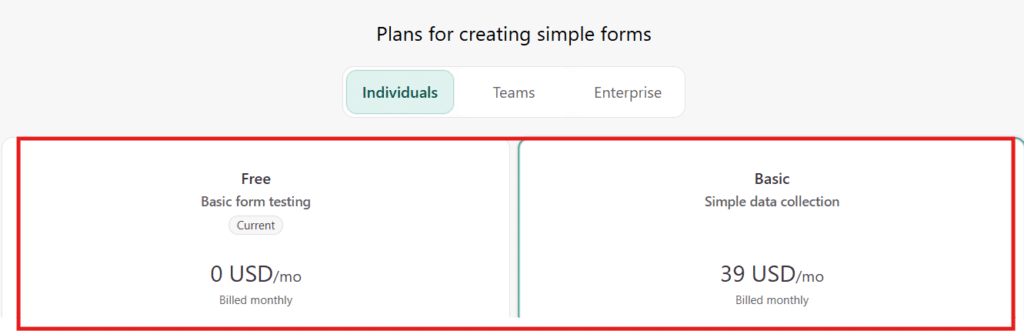
Free Plan – $0/Month
The Typeform Free plan is available at $0 per month and includes 10 responses per month, 10 questions per form, and unlimited forms.
Instead of offering a limited-time trial, Typeform keeps this plan available indefinitely, allowing users to build forms, test templates, explore the form builder, and connect basic integrations before upgrading to a paid subscription.
Basic Plan – $39/Month
The Typeform Basic plan costs $28/month when billed annually or $39/month when billed monthly. It includes 100 responses per month and 1 user seat.
The plan includes logic jumps, AI form creation, webhooks, and email support. Branding removal and payment collection are available on the Plus plan and above.
Typeform Teams Plans

Plus Plan – $56/Month
The Typeform Plus plan costs $56/month when billed annually or $79/month with monthly billing. It includes 1,000 responses per month and 3 user seats.
You also get Typeform branding removal, Stripe payments, calculator fields, and a custom subdomain, making Plus suitable for freelancers, small businesses, and growing teams.
Business Plan – $91/Month
The Typeform Business plan costs $91/month when billed annually or $129/month when paid monthly. It increases the limit to 10,000 responses per month and 5 user seats.
Business also includes drop-off analytics, conversion tracking, Salesforce integration, and priority live chat support, making it better suited to teams that need higher response limits and deeper performance insights.
Before subscribing, you can also apply the $10 Off Typeform coupon code to reduce your overall cost and get better value from your plan.
Talent Plan – $119/Month
The Typeform Talent plan costs $119/month when billed annually or $169/month when billed monthly. It includes 3,000 responses per month and 3 user seats.
Built for HR teams, the plan adds video questions, ReCAPTCHA protection, multi-language forms, and Clarify with AI for recruitment, onboarding, employee feedback, and performance review workflows.
Growth Flow Plan – $266/Month
The Typeform Growth Flow plan costs $266/month when billed annually or $379/month when billed monthly. It includes 10,000 responses per month and 5 user seats.
The plan adds lead enrichment, Smart Insights, Ask AI, multi-language forms, video questions, email follow-ups, SMS follow-ups, and Contacts & Automations.
Team Plans Comparison: Features VS Cost
This table shows how Typeform Team plans scale in response limits, team access, and features as the price increases.
| Feature | Plus | Business | Talent | Growth Flow |
|---|---|---|---|---|
| Annual Price (per month) | $56 | $91 | $119 | $266 |
| Monthly Price | $79 | $129 | $169 | $379 |
| User Seats | 3 | 5 | 3 | 5 |
| Responses per Month | 1,000 | 10,000 | 3,000 | 10,000 |
| Remove Branding | Yes | Yes | Yes | Yes |
| Custom Subdomain | Yes | Yes | Yes | Yes |
| Stripe Payments | Yes | Yes | Yes | Yes |
| Calculator Fields | Yes | Yes | Yes | Yes |
| Drop-off Analytics | No | Yes | No | Yes |
| Conversion Tracking | No | Yes | No | Yes |
| Salesforce Integration | No | Yes | No | Yes |
| Priority Live Chat Support | No | Yes | No | Yes |
| Video Questions | No | No | Yes | Yes |
| Multi-language Forms | No | No | Yes | Yes |
| ReCAPTCHA Protection | No | No | Yes | Yes |
| Clarify with AI | No | No | Yes | No |
| Lead Enrichment | No | No | No | Yes |
| Smart Insights | No | No | No | Yes |
| Ask AI | No | No | No | Yes |
| Email Follow-ups | No | No | No | Yes |
| SMS Follow-ups | No | No | No | Yes |
| Contacts & Automations | No | No | No | Included |
The table shows how pricing increases add more capacity and flexibility, making it easier to match each plan’s cost with the right use case and scale.
Typeform Enterprise Plan

Typeform Enterprise pricing is custom and generally starts at around $1,000 per month, depending on factors such as response volume, user seats, and contract terms.
Multi-year agreements often receive discounted pricing, while larger organizations can negotiate additional savings during vendor evaluations.
Which Typeform Pricing Plan Is Best in 2026?
The best Typeform plan depends on how you plan to use your forms and how many responses you expect.
The Basic Plan works well for individuals with simple form and survey needs.
The Plus Plan is better for creators, freelancers, and small teams that need more responses, branding options, and integrations.
The Business Plan suits growing teams that need higher response limits, conversion tracking, analytics, and advanced integrations.
For sales and marketing teams using forms for lead generation and customer acquisition, the Growth plans provide more specialized tools for tracking and managing leads.
Choose based on your response volume, required features, and team size rather than simply picking the highest-priced plan.
How To Create Your Typeform Account?
Follow these 6 simple steps to create your Typeform account.
Step 1: Click here to visit the official Typeform website.

Step 2: Open the Pricing page to review all available plans.

Step 3: Select the plan that fits your needs and click “Get Plan” to proceed.

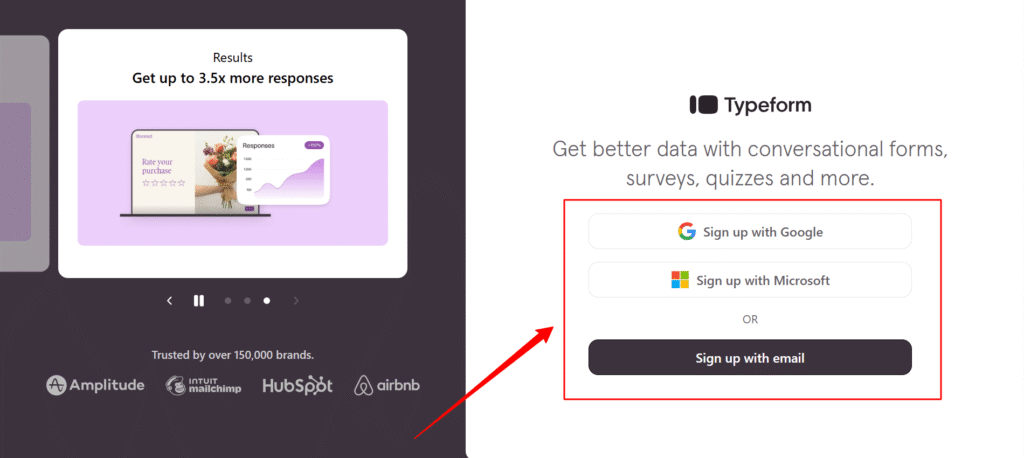
Step 5: Create your Typeform account by signing up with your email address.
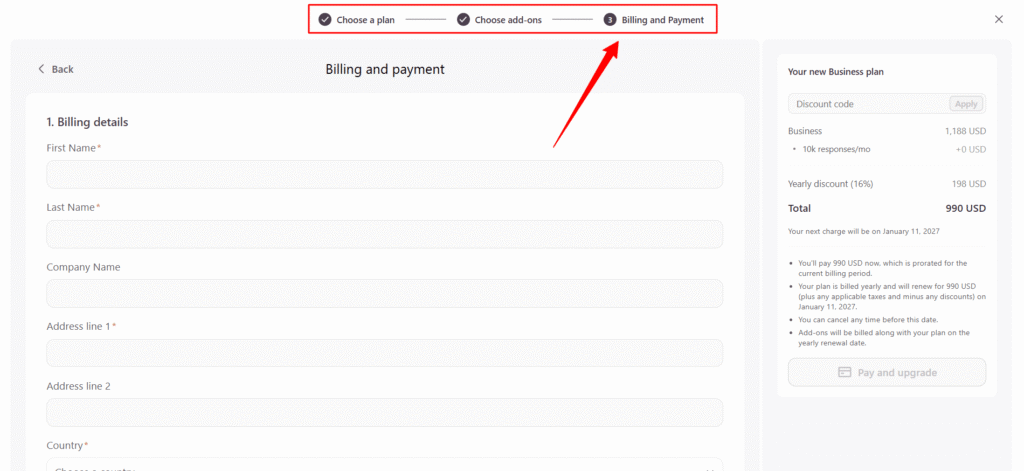
Step 6: Enter your payment details and complete checkout to activate your Typeform subscription instantly.
How Can You Save More on Typeform Pricing?
You can lower your Typeform cost by choosing a plan and billing cycle that match your actual usage.
- Choose annual billing to get a lower monthly equivalent than month-to-month pricing.
- Upgrade only when needed so you do not pay for higher response limits before you use them.
- Use shared workspaces when possible instead of paying for unnecessary separate accounts.
- Check available discounts before subscribing. Eligible students can also explore the latest Typeform student discount to reduce their subscription cost.
These options can help you pay less for Typeform without choosing more features or capacity than you need.ep Typeform pricing plans lean while keeping all essential features.
Typeform Cost vs Competitors: Which Plan Is Right for You?
Typeform pricing is higher because it prioritizes design quality, user experience, and completion rates, while most competitors focus on lower cost or deeper survey mechanics.
| Platform | Price Level | Where It Shines |
|---|---|---|
| Typeform | Higher | Design-first forms, better completion rates, premium brand feel |
| Google Forms | Free | Quick, no-cost surveys for basic needs |
| Jotform | Lower tiers | Detailed forms with logic-heavy setups |
| SurveyMonkey | Similar | Large-scale surveys and research use |
Is Typeform Worth The Cost?
Typeform is worth the cost when form experience and lead quality directly drive revenue, but it is less cost-effective for high-volume or budget-focused surveys where design and conversion matter less.
| Factor | Typeform | Cheaper Alternatives |
|---|---|---|
| Design Quality | Clean, interactive, user-friendly | Plain layouts, limited styling |
| Form Completion Rates | High due to conversational flow | Often lower |
| Integrations | Strong integrations with popular tools | Fewer or basic integrations |
| Pricing Growth | Costs rise as response volume grows | Usually flatter pricing |
| Response Limits | Can feel tight on lower plans | Higher limits at lower cost |
| Extra Features | Some advanced features cost extra | Often bundled |
| ROI Potential | Pays off when lead quality matters | Better for large, low-cost surveys |
| Best Use Case | High-ticket leads, branded forms | Budget surveys, internal data |
Typeform delivers strong ROI when branded form experience, completion rates, and lead quality drive conversions.
For low-budget projects or high-volume data collection, cheaper alternatives often provide better cost efficiency.
FAQs About Typeform Pricing
Is Typeform Free Forever?
Yes. The Typeform free plan does not expire. You can use it indefinitely as long as you stay within the monthly response limit, which allows ongoing testing without pressure to upgrade.
Can I Cancel A Typeform Plan Anytime?
Yes. You can cancel a Typeform plan at any time without penalties. Paid access stays active until the end of the current billing cycle, then the account switches back to the free plan.
Does Typeform Pricing Depend On Responses?
Yes. Typeform sets response limits based on the selected plan. Each plan allows a fixed number of responses per month, and forms stop collecting new responses once that limit is reached.
Can I Upgrade Or Downgrade Typeform Plans?
Yes. You can upgrade or downgrade Typeform plans at any time from your account settings. Changes apply immediately, which helps when response needs increase or decrease during a campaign.
Is Typeform Cheaper With Annual Billing?
Yes. Typeform annual billing lowers the effective monthly cost compared to month-to-month pricing, making it a cost-efficient option for users who run forms throughout the year.
